What is the difference between a handheld POS terminal and a mobile payment terminal?
Jan 29, 2026
If you’re looking into new ways to take payments, you’ve probably noticed that the hardware options are starting to look very similar. But don't let the sleek touchscreens fool you—under the hood, a handheld POS terminal and a mobile payment terminal are two very different tools built for two very different types of workdays.
Choosing the wrong one isn't just a technical mistake; it can actually change the rhythm of your business and how your customers perceive you. Here is the "no-nonsense" breakdown of how they actually differ.
1. The "All-in-One" vs. The "Companion"
The biggest difference is how much "help" the device needs to work.
The Handheld POS Terminal: Think of this as a complete computer that just happens to fit in your hand. It has its own operating system, a built-in receipt printer, and a barcode scanner. It’s a "standalone" device—you don't need a phone or a tablet to make it work.
The Mobile Payment Terminal (mPOS): This is essentially a high-tech card reader. It’s the "accessory" to your smartphone or tablet. To take a payment, you have to open an app on your phone, type in the amount, and then have the customer tap their card on the separate little reader.
2. Speed and "The Rush"
Ask any server or retail clerk about "the rush," and they’ll tell you that every second matters.
A handheld POS is built for speed. Because the printer is built-in, you can swipe a card and hand over a paper receipt in seconds. If you're in a busy restaurant, that same device can usually send an order straight to the kitchen.
With a mobile payment terminal, things are a bit more "fidgety." You’re managing two devices via Bluetooth. If the connection hiccups or your phone screen goes to sleep, that line of customers starts looking at their watches. It’s great for a slow-paced boutique, but it can be a nightmare in a high-volume cafe.
3. Durability: Workhorse vs. Consumer Grade
Let’s be honest: in a busy shop, things get dropped.
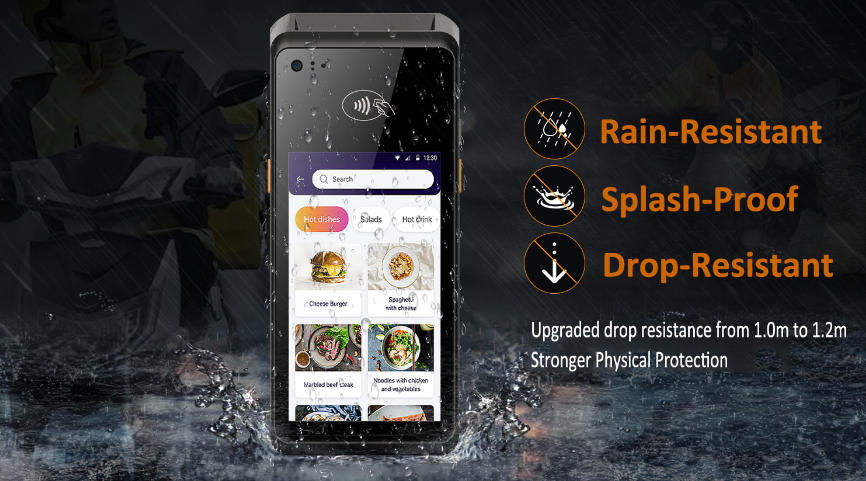
Handheld POS systems are usually "ruggedized." They’re designed to survive a fall onto a hard floor and are often spill-resistant.
Mobile terminals are often made of lighter plastic, and the tablet or phone you’re using with them certainly wasn't built to survive a commercial kitchen environment.
4. The Cost Reality
At first glance, the mobile terminal looks like the winner because it's so much cheaper upfront. You can often grab one for under $50.
However, a handheld POS—while costing more initially—often saves you money in the long run. You aren't buying a separate tablet, a separate receipt printer, and a separate protective case. Plus, handheld units often come with more robust software that helps you track inventory and staff hours, which can save you a fortune in "lost" stock.
Handheld POS terminal vs mobile payment terminal
Features
Handheld POS Terminal
Mobile Payment Terminal
Independent?
Yes, it's a standalone computer.
No, it needs your phone/tablet.
Receipts
Built-in thermal printer.
Digital only (or extra BT printer).
Internet
Wi-Fi + 4G/5G SIM card.
Uses your phone's data/Wi-Fi.
Best for...
Restaurants, busy retail, festivals.
Freelancers, markets, plumbers.
If you are a solo entrepreneur or just starting out, a mobile payment terminal is a fantastic, low-cost way to get your feet wet.
But, if you have employees, a physical location, or a line of customers that sometimes goes out the door, the handheld POS terminal is the professional choice. It’s more reliable, it’s faster, and it tells your customers that you’re built for business.