Dual-Screen vs. Single-Screen POS Systems: Which is Best for Your Business?
Jan 04, 2026If you've recently visited a high-end boutique or a bustling local cafe, you may have noticed this: those clunky, single-screen cash registers are disappearing. In their place are sleek, dual-screen systems that look more like high-tech workstations than credit card terminals.
But if you're a business owner considering hardware (such as the Aonpos Professional Series), you might be wondering: Is that second screen just for show, or can it actually help me increase my profits? Let's take a look at the practical differences between single-screen and dual-screen setups, and why that extra piece of glass might be the best employee you've ever hired.
Let's look at the practical friction between single-screen and dual-screen setups, and why that extra piece of glass might be the best employee you've ever hired.
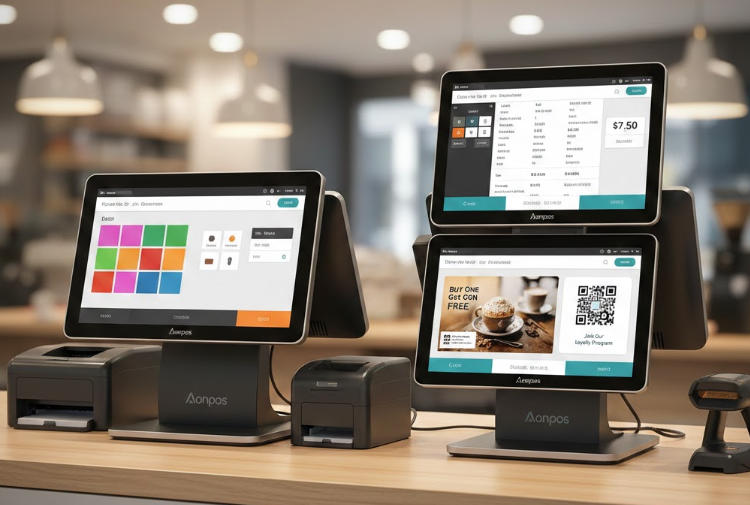
Single-screen POS systems (such as the compact Aonpos AP14) are a classic choice. They are small, affordable, and fully functional. If you run a small pop-up shop or bar with limited space, this is often your preferred option.
However, this "simplicity" also hides a cost. In a single-screen environment, customers are essentially kept in the dark. They have to trust that the cashier has entered the correct price, that discounts have been applied, or that they haven't accidentally double-clicked on that expensive bottle of wine. This lack of transparency can lead to awkward "Wait, how much is that?" moments, slowing down the checkout process and causing unnecessary friction.
When you adopt a dual-screen system—such as the Aonpos AP15D—everything changes. You'll have a 15.6-inch main touchscreen for your employees and a secondary display screen facing the customer.
This is why a second screen—the customer-facing display (CFD)—is actually very important:
If you prefer a dual-monitor setup, you can't just pick any monitor. You need one that can handle the demanding workload of a busy retail day.
Aonpos's modern terminals utilize high-performance Intel processors (such as the J4125 or the more powerful Core i5), meaning the software won't lag even when there's a long queue of customers. Furthermore, with a 10-point capacitive touchscreen, the interaction experience is as smooth as using a smartphone—no more needing to tap the screen three times for a button to respond, as was the case before.
If you have a minimalist setup, such as a coffee kiosk or a mobile "food truck"-style business, where counter space is your biggest constraint, then choose a single-screen display.
If you run a retail store, a full-service restaurant, or any business that wants to build a customer loyalty program, choose a dual-screen system. Customers can enter their phone number or email address on their own screen, which is a huge advantage for data collection.
Absolutely not. The second screen is usually "mirrored" or controlled by the same software. Your employees won't need to do any extra work; the system handles the display automatically.
Yes! This is one of its biggest advantages. Most modern POS software allows you to upload images or videos to the customer-facing screen, turning your checkout counter into a digital billboard.
Models like the Aonpos AP05 are specifically designed to be "all-in-one." They cleverly integrate the screen, printer, and even a scanner into a compact unit, allowing you to have full POS system functionality without taking up the entire counter space.
Ultimately, the POS system is the last point of contact before customers leave. A dual-screen system ensures this final interaction is transparent, professional, and efficient. If you're considering an upgrade, take a look at the Aonpos POS system series to find a system that matches your store's style.
Tel / Whatsapp : +86 -15999943922
Correo electrónico : nikki@aonpostech.com


© 2026 Tecnología Co., Ltd de Shenzhen Aonpos .Reservados todos los derechos