What is the Best POS for Supermarkets? A Comprehensive Guide
May 20, 2026
Running a supermarket today is far more complex than just stocking shelves and ringing up customers. With increasing customer expectations, competition, and technological advancements, supermarkets must leverage tools that streamline operations, improve accuracy, and enhance the overall shopping experience. One of the most crucial tools in this ecosystem is the supermarket POS system.
A POS, or Point of Sale system, is more than just a cash register—it’s the central hub of supermarket operations, connecting sales, inventory, and data analytics in one platform. Choosing the right POS can solve operational headaches, reduce costs, and even boost customer satisfaction. But with so many options available, how can supermarket owners make the right choice? This article provides a detailed guide on what to look for in a POS system, how it improves supermarket operations, and why solutions like Aonpos are gaining attention in the retail world.
Why Supermarkets Need a Modern POS System
The days of simple cash registers are long gone. While traditional cash registers could only calculate prices and store cash, modern POS systems are highly advanced. They combine hardware and software to manage sales, inventory, reporting, and even customer loyalty programs.
Supermarkets, in particular, face unique challenges:
High transaction volumes: Supermarkets can process hundreds of transactions per day, and delays at checkout directly affect customer satisfaction.
Inventory complexity: Managing thousands of SKUs, perishable items, and promotions requires precise tracking.
Data-driven decisions: Understanding customer behavior, popular products, and seasonal trends is critical for planning and procurement.
A modern supermarket POS system addresses all these challenges in one integrated solution.
Key Features to Look for in a Supermarket POS System
Choosing a POS system is not just about buying software; it’s about solving operational problems. Here’s a breakdown of the essential features every supermarket should prioritize:
1. Fast and Efficient Checkout
The most visible function of a POS is processing transactions. Long checkout lines frustrate customers and can lead to lost sales. An effective cash register system integrated with the POS ensures:
Quick scanning of products: Barcode or QR code scanning speeds up the checkout process.
Automatic price calculation: Reduces errors in pricing, discounts, and promotions.
Support for multiple payment methods: Cash, credit/debit cards, mobile payments, and digital wallets.
By reducing checkout times, supermarkets can improve the overall shopping experience while handling peak-hour traffic efficiently.
2. Comprehensive Inventory Management
One of the biggest challenges for supermarkets is managing a large and diverse inventory. Items expire, seasonal demand fluctuates, and some products move faster than others. A POS system with robust inventory management capabilities allows supermarket managers to:
Track stock in real-time, across multiple locations if needed.
Receive low-stock alerts to avoid stockouts.
Monitor product expiry dates to reduce waste.
Analyze sales trends to plan restocking more effectively.
Without this level of control, supermarkets risk either losing sales due to empty shelves or overspending on unsold stock.
3. Detailed Reporting and Analytics
Data is the backbone of modern retail decision-making. A good supermarket POS system goes beyond recording sales—it provides actionable insights.
Reports can help managers:
Identify top-selling products and slow movers.
Track sales by category, time, or location.
Analyze customer behavior and purchase patterns.
Optimize staff scheduling based on peak hours.
These insights make decision-making faster and more informed, turning operational data into a competitive advantage.
4. Customer Management and Loyalty Programs
Supermarkets thrive on repeat customers. Integrating customer management features into a POS system allows businesses to:
Track customer purchases and preferences.
Offer targeted promotions or discounts.
Implement loyalty programs that reward regular shoppers.
A POS system that supports these features can turn everyday shoppers into loyal advocates, which is essential in a competitive retail landscape.
5. Integration with Other Systems
Supermarkets often use multiple software systems for accounting, supply chain management, and e-commerce. A modern POS system should integrate seamlessly with:
Accounting software for accurate financial tracking.
Inventory and supply chain platforms for automated reordering.
Online ordering systems for omnichannel retail experiences.
Integration reduces manual errors, saves time, and ensures all systems operate in sync.
6. Security and Reliability
Handling cash and customer data comes with serious responsibilities. A reliable POS system must provide:
Secure payment processing.
User access control to prevent unauthorized transactions.
Offline functionality to ensure continuity during network interruptions.
Security is not optional; it’s critical to protect both your business and your customers.
Common Problems Supermarkets Face Without the Right POS
Understanding what can go wrong highlights why investing in the right POS is essential. Supermarkets without advanced POS systems often face:
Slow checkouts and long lines – leading to dissatisfied customers.
Stockouts or overstocking – due to poor inventory tracking.
Data blindness – missing out on insights for promotions, staffing, or procurement.
Payment errors and discrepancies – which can affect revenue and trust.
Operational inefficiency – wasting staff time on manual reporting or reconciliation.
By addressing these challenges, a POS system becomes more than a tool—it becomes a solution that improves every aspect of supermarket operations.
Why Aonpos is a Smart Choice for Supermarkets
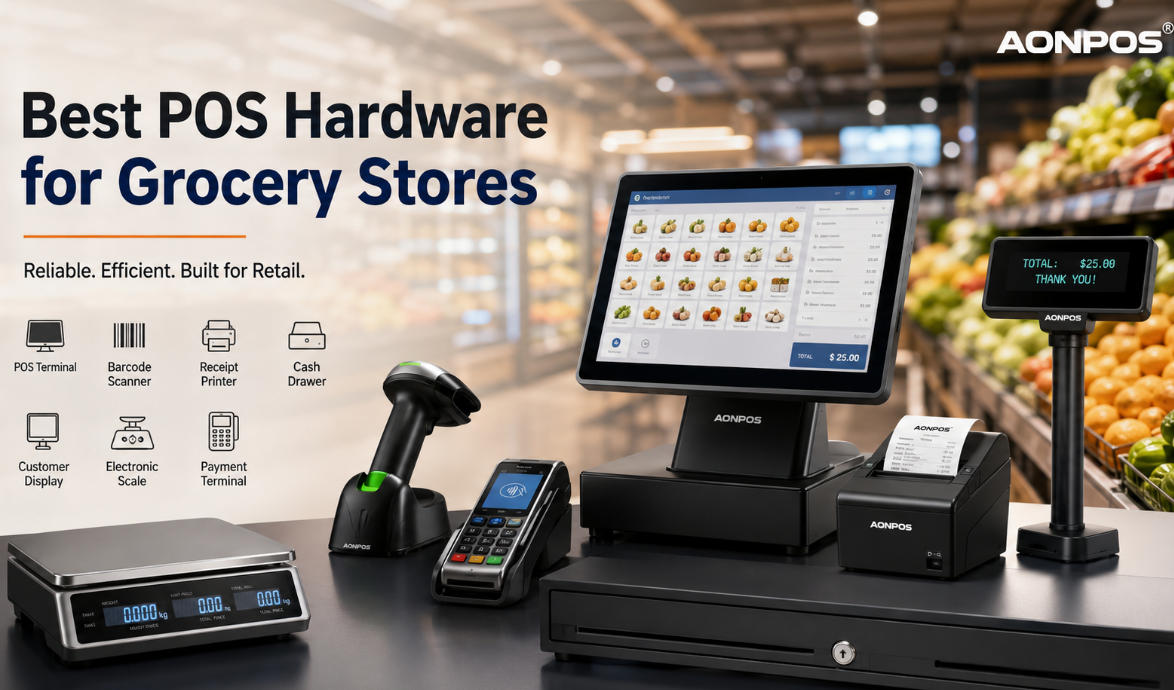
Among the many providers in the market, Aonpos stands out for its balance of technology, reliability, and usability. Their supermarket POS systems are designed to meet the specific needs of retail environments with:
Fast, reliable cash register systems for high-volume checkouts.
Integrated inventory management with real-time tracking.
Advanced reporting features to support data-driven decisions.
Flexible payment processing and customer management capabilities.
Scalable solutions suitable for both small local supermarkets and large chains.
Aonpos focuses on solving real operational problems, rather than just selling features, making it an effective choice for supermarkets aiming to enhance efficiency and customer satisfaction.
Steps to Choose the Best POS for Your Supermarket
Selecting the right POS system is a critical business decision. Here’s a practical guide:
Assess Your NeedsDetermine the size of your store, transaction volume, and inventory complexity.
Compare FeaturesLook for systems that offer fast checkout, inventory management, analytics, and integration capabilities.
Check Reliability and SecurityEnsure the POS system has strong data security, offline functionality, and reliable support.
Consider ScalabilityChoose a system that can grow with your business and handle multiple locations if needed.
Request a DemoHands-on testing helps you understand usability, speed, and workflow integration.
Evaluate Total Cost of OwnershipConsider upfront costs, subscription fees, hardware, and maintenance expenses.
Following these steps reduces the risk of choosing a system that doesn’t meet operational needs or fails to deliver ROI.
Conclusion
Choosing the best POS for a supermarket is about solving problems, not just buying technology. From speeding up checkouts to managing complex inventories and providing actionable insights, a modern supermarket POS system is essential for running an efficient, customer-focused business.
Solutions like Aonpos demonstrate that a POS system can be both powerful and user-friendly, supporting supermarket managers in streamlining operations, reducing errors, and making smarter business decisions. Investing in the right POS system is an investment in the future growth and success of your supermarket.