Aonpos todo en una posición
  • What is the Fundamental Difference Between a Self-Service Machine and a POS System?
    What is the Fundamental Difference Between a Self-Service Machine and a POS System? Dec 08, 2025
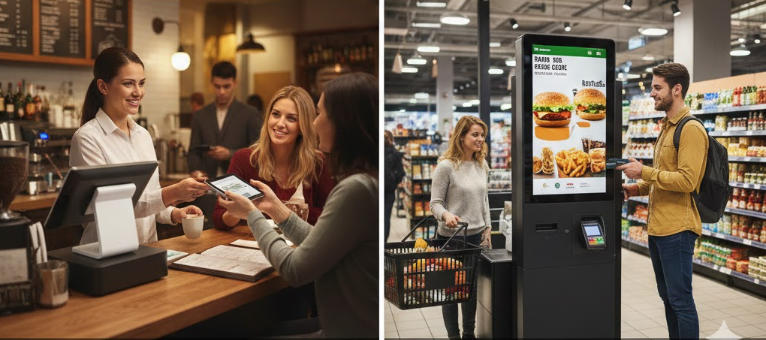
    The distinction between a Point of Sale (POS) machine and a Self-Service Machine (often called a kiosk) centers on who is operating the device and its primary operational role within the business. The POS System is the comprehensive, staff-operated central hub for sales, business management, and reporting. The Self-Service Machine is a customer-facing terminal designed specifically to streamline the ordering, scanning, and payment processes, reducing the need for direct staff involvement in every transaction. Defining the Core Components Achieving a high ranking requires defining the terms clearly for both Google and the reader. 1. What is a POS (Point of Sale) System? A POS system is a combination of hardware and software used by a business to finalize transactions. Crucially, it serves as the central nervous system for the entire operation. Primary User: Trained staff or cashier. Role: Comprehensive financial management, order entry, employee clock-in/out, inventory tracking, and running detailed sales reports (e.g., daily sales, best-selling items, labor costs). Location: Usually behind the counter, server station, or fixed service point. 2. What is a Self-Service Machine (Kiosk)? A self-service machine or kiosk is a dedicated, public-facing terminal designed for quick, independent customer interaction. Primary User: The customer. Role: Facilitating fast order placement, product scanning, and payment completion, shifting the burden of data entry from the employee to the consumer. Location: High-traffic customer areas like store entrances, dining halls, or waiting areas. A Side-by-Side Comparison of Features and Hardware To cement the comparison, here is a detailed breakdown of how the two technologies differ in practice. Feature Category POS Machine (Staff-Operated) Self-Service Kiosk (Customer-Operated) Operational Scope Comprehensive. Manages refunds, complex discounts, loyalty programs, staff permissions, and back-office reports. Transactional. Focuses purely on product selection, customization, and payment processing. System Interface Designed for staff efficiency, often featuring complex menus and detailed inputs for inventory management. Designed for User Experience (UX), featuring large buttons, clear visuals, and intuitive guided workflows. Hardware Smaller touchscreen monitor, cash drawer, dedicated receipt printer, magnetic card reader, optional handheld scanner. Large, durable, tamper-resistant touchscreen display, built-in payment terminal, dedicated stand/enclosure. Connectivity Deeply integrated with back-office software (inventory, labor, accounting). Primarily integrated with the Kitchen Display System (KDS) or order fulfillment queue. Cost Lower initial hardware cost, but tied to comprehensive software licenses. Higher initial hardware cost (due to size and durability) but potentially lower long-term labor costs. When to Use Which System: Ideal Applications Deciding which system to invest in depends entirely on your business model and operational goals. When to Prioritize the POS Machine The POS machine is indispensable when transactions require human judgment and intervention. Full-Service Restaurants: For managing complex table service, splitting checks, serving alcohol (age verification), and handling server tips. Specialized Retail (e.g., Jewelry, Electronics): When sales involve extensive product knowledge, upselling guided by staff, or handling high-value security requirements. Service-Based Businesses (e.g., Salons, Repair Shops): Used for booking appointments, managing client histories, and processing service-based invoices. When to Implement a Self-Service Kiosk Kiosks are a powerful tool for streamlining high-volume, repetitive processes. Quick-Service Restaurants (QSR) & Fast Casual: Reduces queues, allows customers to customize orders perfectly, and boosts average order value (AOV) through automated upsells. Retail Groceries & Pharmacies: Provides a quick checkout option for customers with a few items (self-checkout). Entertainment & Travel: Used for ticket purchasing, printing boarding passes, or checking into hotels. Business Impact: A well-placed kiosk can significantly reduce labor costs and increase order accuracy, while the POS machine remains vital for inventory control and detailed financial auditing. Which System is Right for Your Business? A successful modern business often requires both systems working in harmony. To determine your priority, consider the following: Do you require staff to manage inventory and labor? POS System is essential. Is your business high-volume and order accuracy critical? Self-Service Kiosk is a high-value investment. Do you want staff to focus on customer service instead of data entry? A combination is best. Use kiosks for ordering, and POS systems for exceptions (returns, large orders, staff overrides).
  • Best POS System for Restaurants & Retail in 2026 | Complete B2B Buyer Guide
    Best POS System for Restaurants & Retail in 2026 | Complete B2B Buyer Guide Apr 30, 2026
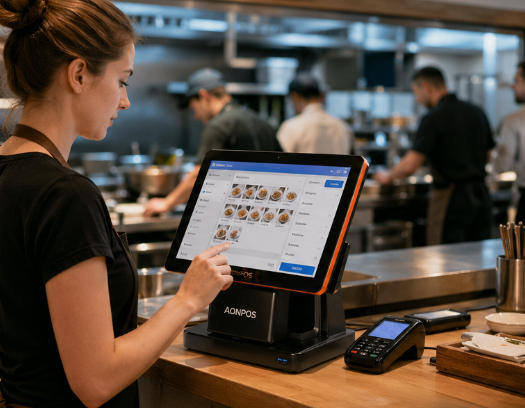
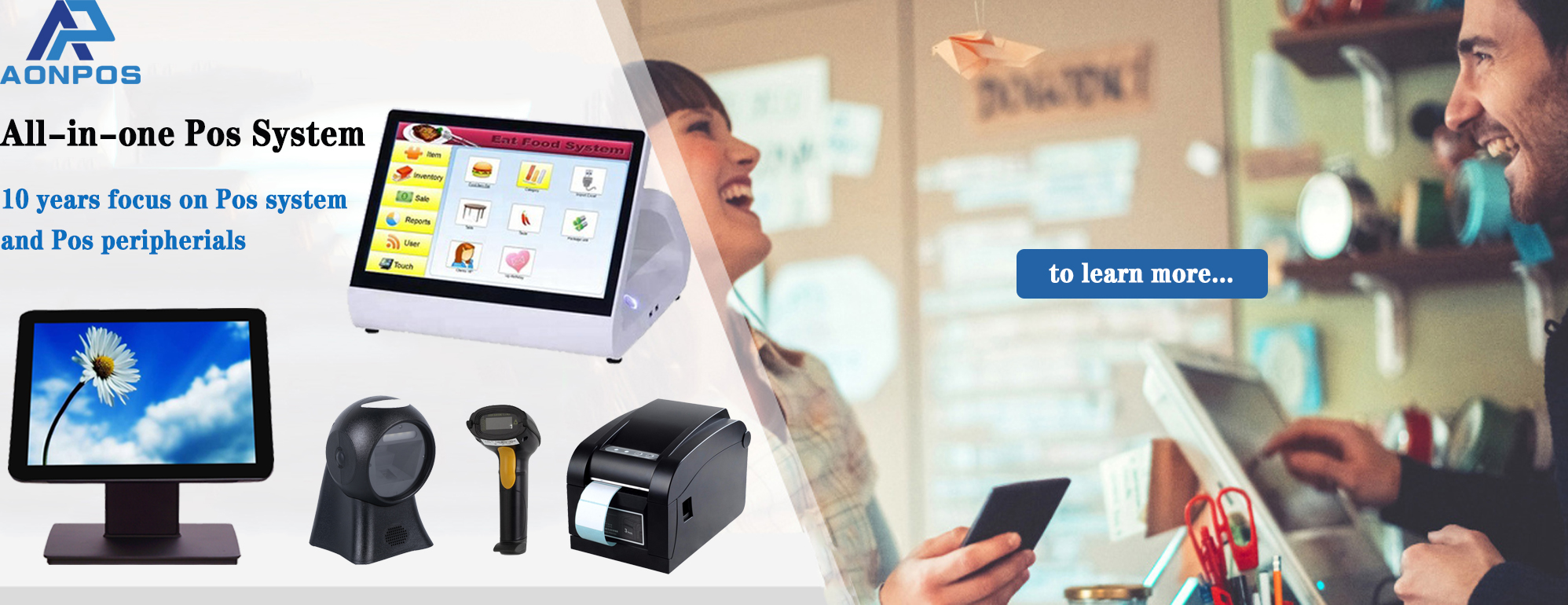
    Choosing the right POS system in 2026 is a strategic decision for any business. A modern point of sale system is no longer just a payment tool—it has become the operational backbone for restaurants, retail stores, and multi-location businesses. From inventory synchronization to customer analytics and omnichannel integration, today’s POS solutions must support both front-end efficiency and back-end visibility. For B2B buyers, especially distributors, system integrators, and enterprise operators, selecting the right POS hardware and software combination is critical for long-term scalability. 1. Understand Your Business Model Before Choosing a POS System Different industries require different POS capabilities, and selecting the wrong type of POS machine can create inefficiencies. Restaurants and Food Service A POS system for restaurants should prioritize: Fast order entry with a responsive touch screen POS Kitchen display system (KDS) integration Table and menu management Multi-payment and split billing Speed and usability are essential, especially during peak hours. Retail and Chain Stores A retail POS system should focus on: Real-time inventory tracking Barcode scanning and SKU management Multi-store synchronization Customer loyalty and promotions Retail businesses benefit from all-in-one POS systems that streamline checkout while reducing hardware complexity. Small Businesses and Growing Brands For SMEs, flexibility is key. A POS system for small business should be: Easy to deploy Cost-efficient Scalable for future expansion 2. Evaluate Core POS Software Features When evaluating a point of sale system, software capabilities often matter more than hardware. A modern POS should include: Sales tracking and reporting Inventory management Customer relationship management (CRM) Employee and permission control Integration with ERP, accounting, or eCommerce platforms For B2B buyers, it's also important to consider whether the system supports customization or white-label deployment, especially when working with an OEM POS manufacturer. 3. Choose the Right POS Hardware Configuration Hardware selection plays a crucial role in usability and performance. Businesses typically choose between standalone devices and all-in-one POS terminals. All-in-One POS Systems An all-in-one POS integrates the display, motherboard, and I/O ports into a single unit. Benefits include: Clean and space-saving design Easy installation and maintenance Lower total cost of ownership Touch Screen POS Terminals A touch screen POS improves efficiency by reducing training time and speeding up operations. Capacitive touchscreens are now the standard for accuracy and durability. Modular POS Machines A traditional POS machine setup allows more flexibility by connecting peripherals such as: Receipt printers Barcode scanners Cash drawers This approach is often preferred in complex retail environments. 4. Consider Reliability, Connectivity, and Integration For enterprise users, reliability is non-negotiable. A professional POS terminal should support: Stable 24/7 operation Multiple connectivity options (USB, LAN, Wi-Fi, Bluetooth) Compatibility with third-party systems Downtime in a POS system directly impacts revenue, making hardware quality and system stability critical decision factors. 5. Think Long-Term: Scalability and OEM/ODM Capability A POS system should grow with your business. Whether you're a distributor or a multi-location brand, consider: Can the system scale across multiple stores? Does the vendor support customization? Is there OEM/ODM capability for branding and localization? This is where working with an experienced POS hardware supplier becomes important. 6. A Practical Example: AonPos POS Hardware Solutions For businesses looking for reliable and customizable POS hardware, AonPos offers a comprehensive range of solutions. Through its official POS system page:https://www.aonpostech.com/pos-system AonPos provides: All-in-one POS systems with 15-inch capacitive touch displays Dual-screen POS terminals for enhanced customer interaction Customizable touch screen POS machines for retail and restaurant use OEM/ODM services tailored for distributors and global partners With a focus on manufacturing and hardware innovation, AonPos is particularly suitable for: POS resellers and distributors System integrators Businesses requiring branded POS solutions Rather than positioning itself as a software provider, AonPos focuses on delivering stable, flexible, and scalable POS machine hardware that can integrate with various POS software ecosystems. 7. Final Checklist for B2B Buyers Before making a final decision, ensure your POS system meets the following criteria: Matches your industry-specific workflow Offers the right balance between hardware and software Supports long-term scalability Comes from a reliable POS hardware manufacturer Provides customization options if needed Conclusion In 2026, selecting the right point of sale system is about more than just transactions—it’s about building a scalable and efficient business infrastructure. Whether you need a POS system for restaurants, a retail POS system, or a flexible POS solution for small business, the key is to align technology with your operational needs. At the hardware level, solutions like all-in-one POS, touch screen POS, and robust POS terminals—such as those offered by AonPos—can provide the performance and flexibility required in today’s competitive market.

¿Necesitas ayuda? Habla con nosotros

dejar un mensaje
Para cualquier solicitud de información o soporte técnico, rellene el formulario. Todos los campos marcados con asterisco* son obligatorios.
entregar

Hogar

productos

whatsApp

contacto