Does Your POS Terminal Support Remote Restart & Recovery?
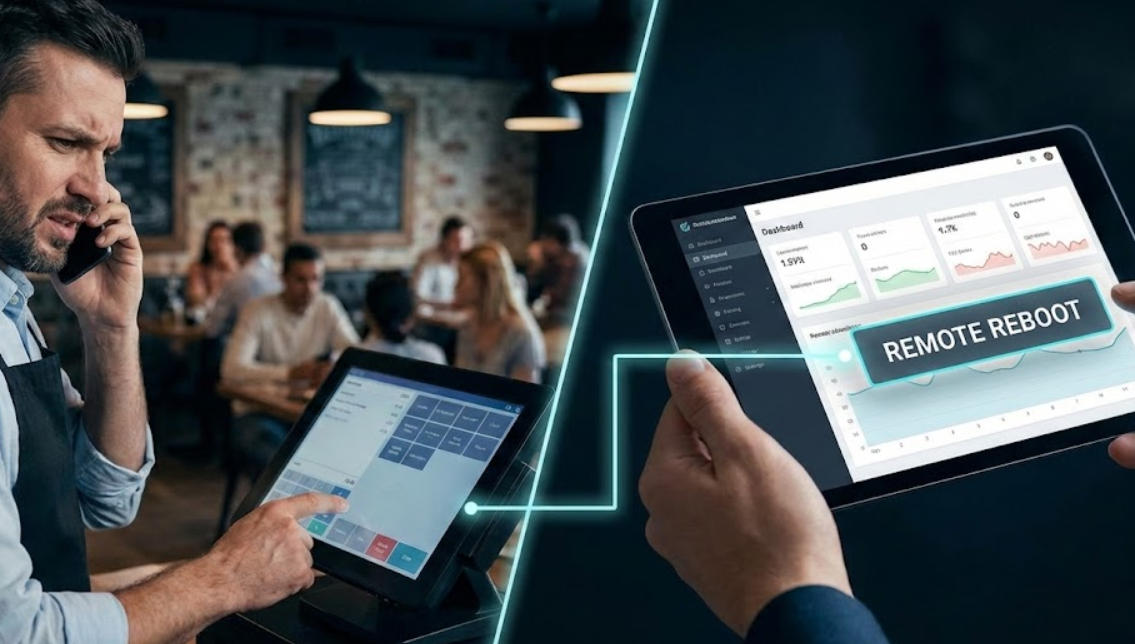
Jan 14, 2026Imagine it’s the middle of a Friday lunch rush. The line is out the door, and suddenly, your main POS terminal freezes. In the past, this meant a panicked phone call to a technician and hours—or even days—of lost revenue while you waited for a site visit.
But things have changed. Modern point-of-sale hardware is smarter now. The question isn't just "Does it work?" but rather "Can I fix it from anywhere?" Here is everything you need to know about remote restarts, system recovery, and why these features are the secret weapon of successful retail and restaurant managers.
Most enterprise-grade terminals running on Android or Windows IoT are built to support remote management. However, the hardware can’t do it alone. It needs to be "linked" to a management platform—often called MDM (Mobile Device Management).
If your system is cloud-based, there’s a high chance you already have the "plumbing" in place to reboot a device from your home office or even your smartphone.
People often use these terms interchangeably, but in a crisis, knowing the difference is vital.
This is the digital equivalent of unplugging it and plugging it back in.
When to use it: The app is laggy, the card reader isn't "talking" to the screen, or the interface feels sluggish.
The Result: It clears the system's temporary memory (RAM) and gives the software a fresh start without deleting any of your settings or data.
This is for when things go seriously wrong—think corrupted files or a botched software update.
When to use it: The terminal won't boot up at all, or the software is fundamentally broken.
The Result: This wipes the device and reinstalls the operating system or a "clean" version of your POS app from the cloud. It’s a lifesaver because it allows you to "reimage" a machine without needing an IT degree.
If you are shopping for new hardware, don't let a salesperson gloss over remote management. Here is why it matters for your bottom line:
Zero Travel Costs: You don’t have to pay a technician $150/hour to drive to your store just to press a reset button.
Off-Hours Maintenance: You can schedule a system-wide restart for 3:00 AM across all your locations so the hardware is fresh when the morning shift starts.
Security Peace of Mind: If a terminal is stolen, "System Recovery" tools often allow you to remotely wipe sensitive data instantly.
| Feature | Android POS | Windows POS |
| Recovery Speed | Very fast; works like a factory reset on a phone. | Can be slower; involves "disk images." |
| Ease of Use | Simple, "one-click" remote commands. | More powerful, but often requires an IT pro. |
| Reliability | Excellent for dedicated, single-app use. | Best for complex setups with many peripherals. |
This is the one "gotcha." To send a remote command, the terminal must have a heartbeat—meaning it needs a connection to the internet.
Pro Tip: Look for terminals that support "Hard-Key Recovery." This allows an on-site manager to hold a specific combination of physical buttons (like Power + Volume Up) to trigger a manual recovery even if the network is totally dark.
A POS terminal that supports remote restart and recovery isn't just a fancy piece of tech—it's an insurance policy. It turns a potential business disaster into a 5-minute minor inconvenience.
Before you buy your next system, ask your provider: "Which MDM platforms do you support, and can I trigger a full system wipe from my dashboard?" If the answer is no, you might be looking at a legacy system that will eventually cost you more in downtime than you saved on the sticker price.
Tel / Whatsapp : +86 -15999943922
Correo electrónico : nikki@aonpostech.com


© 2026 Tecnología Co., Ltd de Shenzhen Aonpos .Reservados todos los derechos