Why Does My Self-Service Kiosk Keep Restarting?
Jan 01, 2026
In the world of automated retail and hospitality, a self-service payment kiosk is the backbone of efficiency. However, few things are more frustrating for both business owners and customers than a machine that frequently restarts or enters a "boot loop."
Frequent reboots don’t just cause downtime; they lead to lost revenue and a poor brand image. In this guide, we explore the primary technical reasons behind kiosk instability and how choosing industrial-grade hardware, such as Aonpostech Self-Service Kiosks, can prevent these issues.
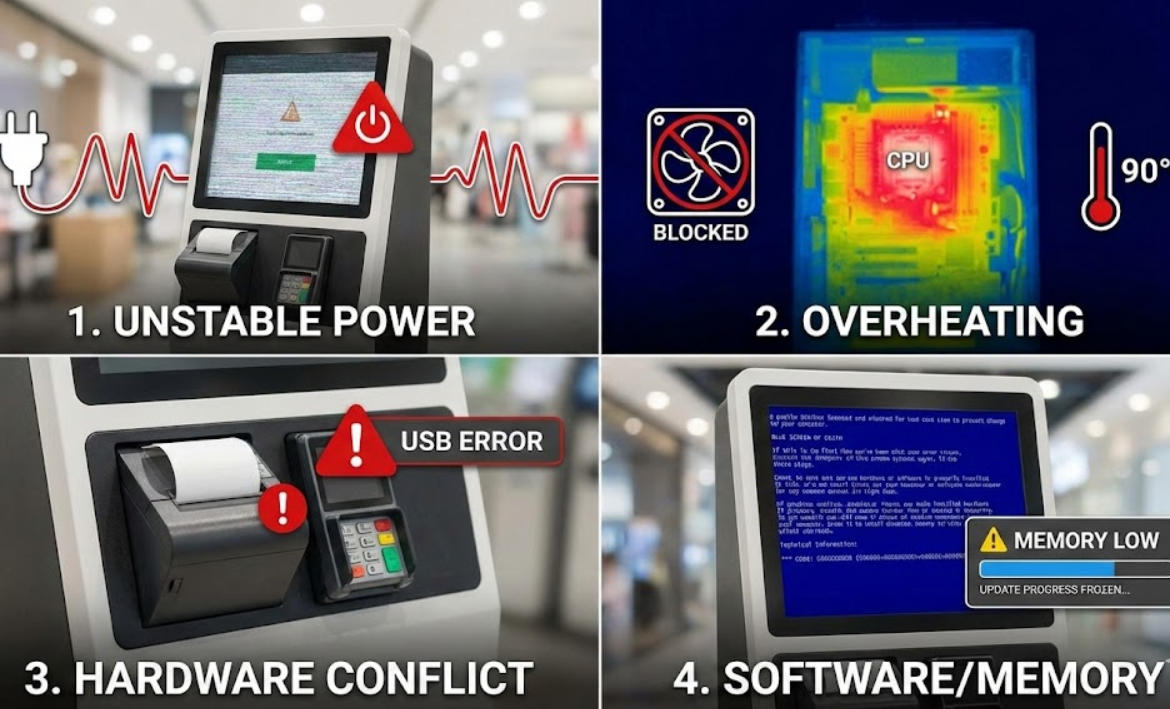
1. Unstable Power Supply and Voltage Fluctuations
The most common cause of spontaneous restarts is the power source. Unlike consumer PCs, a self-service payment kiosk often houses multiple peripherals (thermal printers, card readers, scanners) that all draw power simultaneously.
The Issue: If the input voltage drops (a "brownout") or surges, the Power Supply Unit (PSU) will restart the system to protect the motherboard.
The Solution: Always use a dedicated Online UPS. Aonpostech kiosks are designed with industrial-grade power management to handle the high-current demands of integrated payment components.
2. Thermal Throttling and Overheating
Self-service kiosks often operate 24/7 in enclosed spaces or high-traffic outdoor environments.
The Issue: If dust clogs the internal fans or the thermal paste on the CPU dries out, the system temperature will spike. To prevent permanent damage, the motherboard initiates a thermal shutdown.
Aonpostech Advantage: High-quality kiosks utilize superior heat dissipation designs and industrial cooling fans to ensure stable performance even in demanding environments.
3. Peripheral Hardware Conflicts
A kiosk is a complex ecosystem of hardware. A faulty receipt printer, a short-circuiting QR scanner, or a loose USB connection can send "noise" back to the motherboard.
The Issue: A "USB Device Not Recognized" error or a driver crash for a peripheral can trigger a Blue Screen of Death (BSOD), resulting in a reboot.
Maintenance Tip: Regularly check internal connections. Ensuring your hardware is sourced from a reliable manufacturer like Aonpostech ensures that all modules (printers, card readers, and screens) are fully compatible and rigorously tested.
4. Software Memory Leaks and OS Updates
Sometimes the hardware is perfect, but the software is at fault.
The Issue: If the kiosk application has a "memory leak," it will slowly consume all available RAM until the operating system crashes. Additionally, forced Windows or Linux updates may trigger restarts at the most inconvenient times.
The Solution: Optimize your kiosk software and disable "Auto-Updates" in favor of scheduled maintenance windows.
5. Faulty RAM or SSD Storage
If your kiosk restarts during specific tasks—like processing a payment or loading a video—the internal memory (RAM) or the storage drive (SSD) might be failing.
The Issue: A "bit flip" in a faulty RAM stick or a bad sector on an SSD will cause an immediate system crash.
Pro Tip: Use industrial-grade SSDs and RAM. Aonpostech utilizes high-performance internal components to ensure long-term stability under heavy daily use.
Quick Troubleshooting Table
Symptom
Likely Cause
Suggested Action
Restarts during printing
Power Supply (PSU) overload
Check PSU wattage/Replace printer
Restarts in the afternoon
Overheating
Clean dust filters / Check ventilation
Restarts after a card swipe
Peripheral Driver Conflict
Update card reader drivers
Infinite boot loop
OS Corruption / SSD Failure
Reinstall OS or replace SSD
Conclusion: Reliability Starts with Hardware
While software tweaks can help, the stability of a self-service payment kiosk ultimately depends on the quality of its build. Choosing a professional partner like Aonpostech ensures your business is powered by industrial-grade motherboards, robust enclosures, and certified peripherals designed to withstand the rigors of 24/7 operation.
Are you looking for a more reliable self-service solution? Explore the full range of Aonpostech Payment Kiosks and reduce your downtime today.