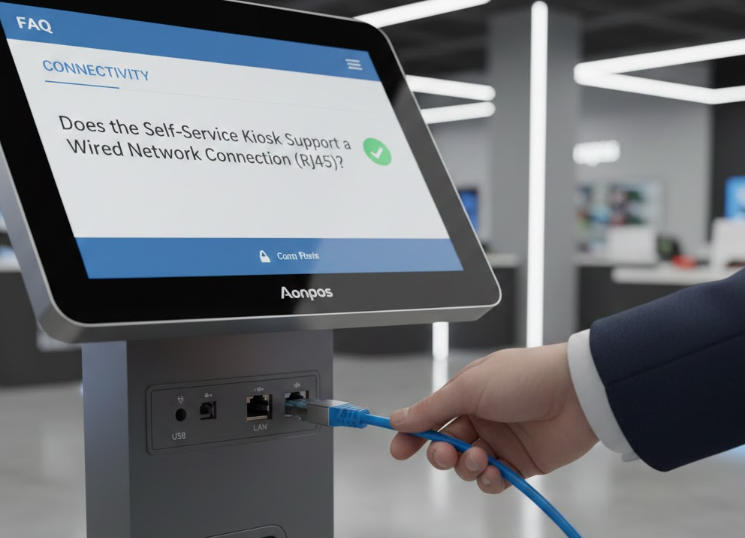
Does the Aonpos Self-Service Kiosk Support a Wired Network Connection (RJ45)?
Dec 27, 2025
In the world of automated retail and hospitality, internet stability is the backbone of a successful customer experience. One of the most frequent questions we receive from IT managers and business owners is: "Does the Aonpos self-service kiosk support a wired network connection via RJ45?"
The short answer is yes. All Aonpos self-service payment kiosks are designed with a standard RJ45 Ethernet port to ensure your business remains online and secure 24/7.
Why Wired Connectivity (RJ45) Matters for Kiosks
While Aonpos kiosks come equipped with high-speed built-in Wi-Fi, a wired LAN (Local Area Network) connection is the industry gold standard for several critical reasons:
1. Unmatched Transaction Security
For kiosks handling sensitive financial data, security is paramount. A wired RJ45 connection is significantly harder to intercept or "spoof" than wireless signals, making it the preferred choice for PCI-compliant payment environments.
2. Reliable 24/7 Uptime
In busy environments like shopping malls or quick-service restaurants, Wi-Fi signals often suffer from interference. A hardwired connection eliminates "dead zones" and signal drops, ensuring that your Aonpos APK07 or AP022 model never misses a transaction.
3. Gigabit Speeds for Large Data Transfers
Whether you are updating high-resolution digital signage content or syncing inventory across a cloud network, our kiosks support 10/100/1000 Mbps Gigabit Ethernet. This ensures lag-free performance even during peak hours.
Technical Specifications & Port Location
Aonpos kiosks feature a modular I/O design. On most models, such as the Aonpos APK07 Smart Digital Kiosk, the RJ45 port is located within the internal cable management compartment.
Port Type: Standard RJ45 (8P8C)
Network Standard: IEEE 802.3
OS Compatibility: Supports Windows (7/10/11) and Android (7.1 to 11.0) configurations.
Cable Recommendation: We recommend using Cat6 shielded cables to prevent electromagnetic interference (EMI) from nearby electronic equipment.
Installation Tip: Hidden Cable Management
To maintain the sleek aesthetic of your storefront, Aonpos kiosks are designed with internal routing paths. The Ethernet cable can be fed through the base of the stand or the rear of the wall mount, keeping the wires hidden from the public and protected from accidental disconnection.
Frequently Asked Questions (FAQ)
Can the kiosk use Wi-Fi and Ethernet simultaneously?
Yes, the system allows you to configure a "Failover" mode. You can set the wired RJ45 connection as your primary source and use the built-in Wi-Fi as a backup to ensure zero downtime.
Does Aonpos support Power over Ethernet (PoE)?
Standard models require a dedicated DC power supply (included). However, because Aonpos offers OEM/ODM customization, we can work with your engineering team to integrate PoE solutions for specific project requirements.
Which Aonpos models have the RJ45 port?
The RJ45 LAN port is a standard feature across our entire self-service line, including the AP022 series, APK06, and the 27-inch APK07 ordering kiosk.
Stable connectivity is not just a feature; it’s a business necessity. By supporting RJ45 wired network connections, Aonpos provides a professional-grade solution that combines speed, security, and reliability.
Ready to upgrade your business? Explore the Full Range of Aonpos Payment Kiosks Here or Contact our Technical Team for custom networking specifications.